How to See a Neighbor's WiFi Password: Risks and Legal Options
Wondering about a neighbor's WiFi password? Learn the legal risks, how to ask permission, how to find your own password and ways to get online legally.

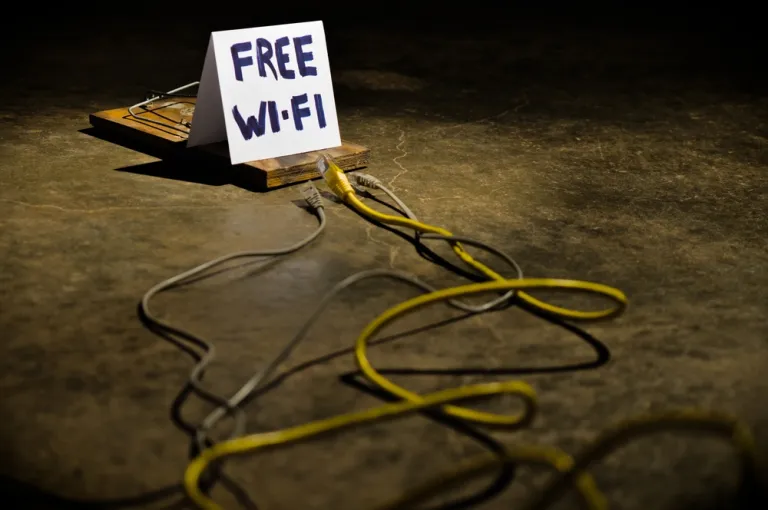
- Looking up, guessing, cracking or using a neighbor's WiFi password without permission is unethical and risks breaking the law.
- The right way to use a neighbor's WiFi is to ask the network owner for permission directly.
- If you forget your own WiFi password, you can check it on a device that has connected before or in your own router's settings.
- Accessing someone else's network without the right to do so can count as illegal access to an electronic system.
- The best solutions are to use your own data plan, share the cost of WiFi in an official arrangement, or use a legal public hotspot.
Contents
- Why You Should Not Try to See a Neighbor's WiFi Password
- Legal Risks of Accessing Someone Else's WiFi Without Permission
- How to Get Access to a Neighbor's WiFi Legally
- How to See Your Own WiFi Password on a Device That Has Connected Before
- How to Check Your WiFi Password Through Your Own Router
- What to Do If You Need Emergency Internet
- The Dangers of Using WiFi-Cracking Apps
- Etiquette for Using Someone Else's WiFi
- Tips for Protecting Your Own WiFi from Unauthorized Access
- Conclusion
Why You Should Not Try to See a Neighbor's WiFi Password
Many people search for ways to see a neighbor's WiFi password because they want free internet. The reason sounds simple, but the act is wrong. WiFi is a private network. The owner pays for the internet service, manages the devices and is responsible for the activity on that network.
Using a neighbor's WiFi without permission is the same as quietly using someone else's facilities. It can harm the network owner. Internet speed can drop, certain data quotas can run out faster, and the security of the owner's devices can be compromised.
More seriously, activity on the internet can be traced to that network's IP address. If something suspicious comes from that WiFi network, the owner could be affected too. That is why WiFi access should always rest on permission.
Legal Risks of Accessing Someone Else's WiFi Without Permission
In Indonesia, unauthorized access to an electronic system can fall under the ITE Law (the Electronic Information and Transactions Law). Article 30 paragraph (1) of the ITE Law prohibits anyone from intentionally and without the right to do so accessing another person's computer or electronic system by any means. Hukumonline explains that a violation of Article 30 paragraph (1) can be punished with up to 6 years in prison and/or a fine of up to Rp600 million under Article 46 paragraph (1).
The peraturan.go.id website also records that Law No. 11 of 2008 on Electronic Information and Transactions is still in force and has been amended, including through Law No. 19 of 2016 and Law No. 1 of 2024.
That means trying to break into a neighbor's WiFi is not just "messing around." It can be seen as access to an electronic system without the right to do so. For that reason, this article will not cover password cracking techniques, WiFi hacking apps or ways to get into someone else's network without permission.
How to Get Access to a Neighbor's WiFi Legally
The safest and most proper way is to ask for permission directly. Explain your need politely. For example, your home internet is having problems, you need to send important work, or you only need temporary access.
Here is an example of what you could say:
"Sorry, my internet is having problems. Would it be okay if I used your WiFi for a few minutes to send some work? If it's not possible, that's totally fine."
A sentence like this is better than trying to get in quietly. The WiFi owner has the right to say no. If they agree, use the network sensibly. Do not download large files, stream heavily or share the password with other people.
If you will be using it regularly, offer to split the internet bill. This is fairer and avoids conflict. Make a simple agreement about the cost, the usage limit and who is allowed to use the network.
How to See Your Own WiFi Password on a Device That Has Connected Before
If what you mean is looking up your own WiFi password, this is safe as long as the network is yours or you are using it with the owner's permission.
On many devices, you can see the WiFi password in the network settings. On certain Android phones, open the WiFi menu, choose the saved network, then use the share or QR code feature. The system will usually ask for a PIN, pattern, fingerprint or face authentication. After that, the network information can be shown.
On a Windows laptop, the password of a WiFi network you have connected to before can usually be found through Network and Sharing Center or the saved network settings. On Apple devices, the WiFi password can be viewed through Keychain Access on a Mac or through the password sharing feature between Apple devices that use a trusted account.
However, use this method only for your own network or a network you are allowed to use. Do not borrow someone else's device to look for a password without their consent.
How to Check Your WiFi Password Through Your Own Router
If you forget your home WiFi password, check your own router. The default network details are usually on a sticker on the back or bottom of the router. There you will find the network name, or SSID, and the default password.
If the password has been changed before, log in to the router's admin page. The access address is usually written on the router sticker or in the device manual. Once you are in, look for the Wireless, WiFi Settings or Security menu. In that menu, the network owner can view or change the WiFi password.
Make sure only the network owner or someone given permission accesses the router admin page. Do not try to get into the admin page of a neighbor's, office's, cafe's or any other router without permission.
What to Do If You Need Emergency Internet
If you need emergency internet, there are a few safe options. First, use your own data plan. Second, ask family or friends for tethering, with their permission. Third, use public WiFi at official places such as cafes, coworking spaces, libraries, campuses or public facilities that provide internet access.
When using public WiFi, stay careful. Avoid opening mobile banking or entering sensitive data if the network is not trusted. Use your own connection for important transactions.
If you need a lot of internet every day, it is better to install your own internet service. Choose a plan that fits your needs. For light use such as chat, browsing and email, a basic plan is enough. For remote work, streaming, online meetings or gaming, choose a plan with a more stable speed.
The Dangers of Using WiFi-Cracking Apps
Many apps claim they can show a neighbor's WiFi password. Apps like this are very risky. Most of them do not really work, and some can steal personal data, install malware or take over your device.
Illegal apps may also ask for unreasonable access permissions, such as reading contacts, files, location, the camera or SMS. This risk is far greater than the benefit they promise. Do not install apps that claim to be able to crack WiFi passwords.
Besides being risky for the user, doing so is still unlawful if the goal is to enter someone else's network without permission. It is better to avoid it from the start.
Etiquette for Using Someone Else's WiFi
If the network owner gives permission, use it responsibly. Do not change the router settings. Do not share the password with other people. Do not use excessive bandwidth. Do not access illegal content or do anything that could harm the network owner.
Use access only as much as you need. If you were given only temporary permission, stop using it once you are done. If you want to use it for the long term, talk about an agreement on cost and usage limits.
This kind of digital etiquette matters because the internet is not just about connections. It is also about trust.
Tips for Protecting Your Own WiFi from Unauthorized Access
WiFi owners also need to keep their networks secure. Use a strong password that combines uppercase letters, lowercase letters, numbers and symbols. Avoid passwords that are easy to guess, such as a birth date, a child's name, a house number or the word "password123".
Change your password regularly, especially if you have shared it with many people. Use WPA2 or WPA3 encryption if available. Turn off the WPS feature if you do not need it, because it is often a security hole on some routers.
Check the list of connected devices on the router admin page. If you see an unfamiliar device, change the password right away and restart the router. Set up a guest network if other people often borrow your internet access.
Conclusion
Seeing a neighbor's WiFi password without permission is not the right thing to do and should not be done. WiFi is a private network protected by its owner's rights. Accessing someone else's network without the right to do so can cause ethical, security and legal problems.
If you need internet, ask for permission directly, use your own data plan or take advantage of legal public WiFi. If you forget your own WiFi password, check it on a device that has connected before or in your own router's settings. The legal way is always safer, more polite and does not harm other people.